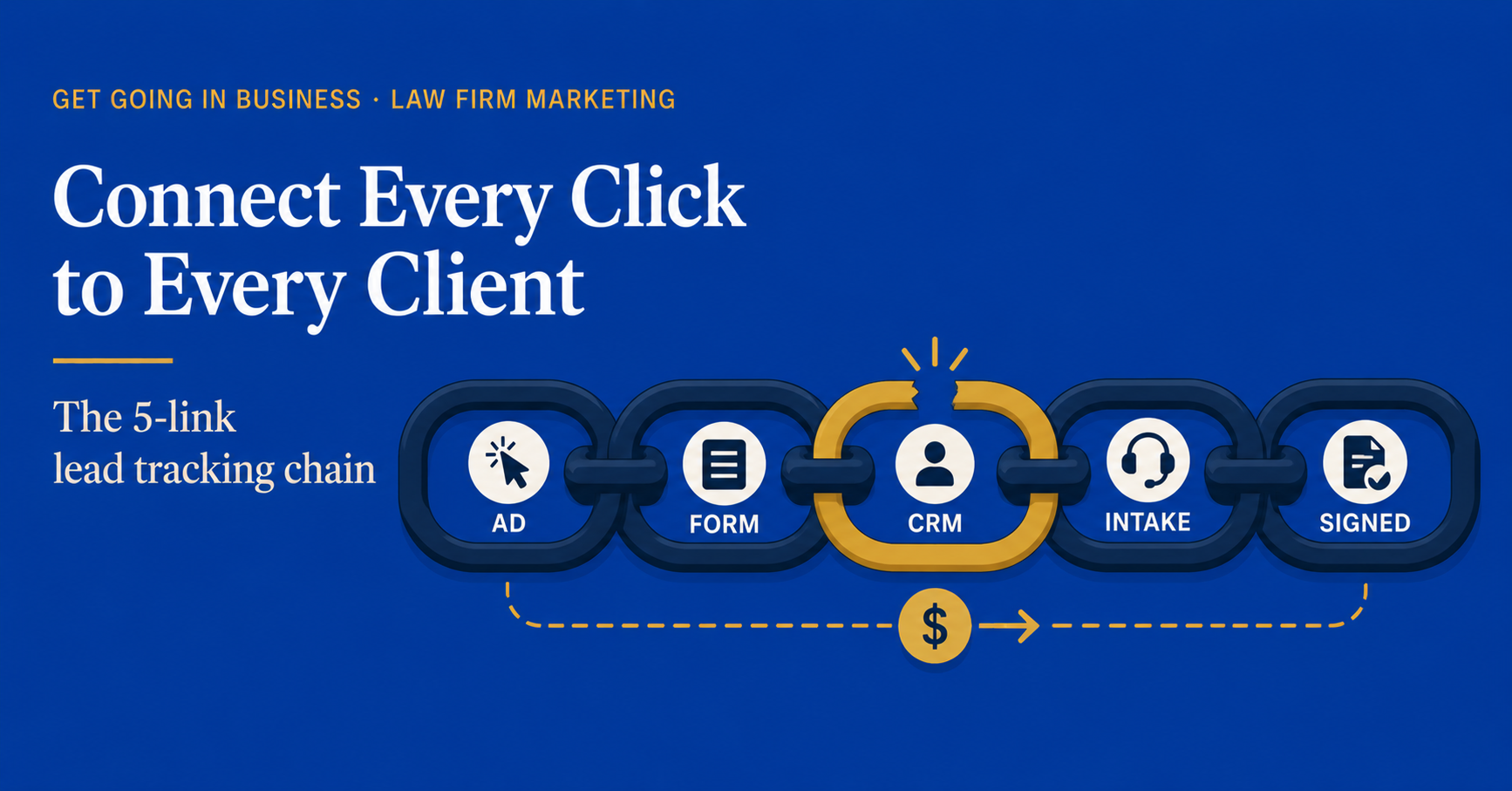
A signed client is the end of a long chain. Before they sat down with your attorney, they saw your ad. Before they saw your ad, your agency bid on a keyword. Before they signed the retainer, they filled out a form, talked to your intake coordinator, scheduled a consultation, and got a callback.
At most law firms, that chain has at least three breaks. The ad system shows clicks. The CRM shows leads. The intake log shows calls. The retainer shows signed clients. Each one is correct in isolation. None of them connect to the others. So when you ask “which ad produced this client,” the honest answer is “we don’t know.”
Effective law firm lead tracking from ad to signed client is not about better ads or a better CRM. It is about connecting what you already have into one continuous chain. Here is exactly how that chain works, what each link does, and how to wire it together at your firm.
Why Law Firms Lose the Trail
Most firms have all the right tools. Google Ads. A website. A contact form. A CRM. Call tracking. An intake script. The problem is not absence. The problem is disconnection.
Each tool was bought to solve a specific problem at a specific time. The Google Ads account was set up by an agency. The CRM was chosen by a senior partner. The call tracking was added when intake complained about missed calls. The contact form came with the website redesign. Nobody designed them to work together because nobody designed them at all. They accumulated.
The result is what we call the four-island problem: ad data, web data, intake data, and case data, sitting on four islands with no bridges between them.
The Full Lead Tracking Chain
To track a single client from the first click to the signed retainer, the chain has to pass through five connected systems.
Link 1: UTM parameters on every ad
Every Google Ad, Facebook Ad, and email campaign should append UTM parameters to its destination URL. These parameters tell every downstream system where the click came from. A typical UTM looks like this:
?utm_source=google&utm_medium=cpc&utm_campaign=family-law-richmond&utm_content=headline-a
The agency should set this up. If they have not, that is your first failure point. Without UTMs, every system after this one is guessing.
Link 2: UTMs captured at the contact form
When a visitor lands on your site with UTM parameters in the URL, those parameters need to be captured by your contact form as hidden fields. The visitor never sees them. The CRM does.
Most modern form builders (Gravity Forms, Ninja Forms, WPForms, the form inside Elementor) support hidden UTM fields. If yours does not, the form needs to be reconfigured or replaced. This is a one-time fix.
Link 3: UTMs and call source flow into the CRM
When the form is submitted, the CRM creates a lead record. That record must include source fields populated from the UTM parameters. Source. Medium. Campaign. Content. Each one in its own field, never overwritten by intake.
For phone calls, the equivalent is dynamic call tracking. Each marketing channel shows a different phone number to the visitor. When the call comes in, the call tracking platform sends the call source into the CRM along with the call recording.
After this step, every lead in your CRM should have a clear source attached. If your CRM has a meaningful number of leads with source “unknown” or blank, this link is broken.
Link 4: Intake actions update the lead, not replace it
Intake answers the call or returns the form submission. They take notes. They book a consultation. None of this should create a new record. Every action updates the existing lead.
This is where most CRMs go off the rails. Intake creates a new “contact” record. The attorney’s assistant creates a separate “matter” record. The original lead, with all its source data, sits orphaned in the CRM with no connection to the case it became.
Fix: enforce that every consultation, every matter, every retainer must be linked to the original lead record. Most modern CRMs support this with a required parent-record field. Turn that requirement on.
Link 5: Signed retainer linked back to the lead
When the client signs, the retainer record gets attached to the lead. Now you have a complete chain: source > lead > consultation > matter > retainer > revenue. Pull any signed client and you can trace exactly which ad, on which day, produced them.
This is the final link. It is also the link that is broken at almost every law firm. If you cannot pull a list of signed clients from last quarter and see the source for each one, this link is your priority.
A working chain means you can ask any signed client’s record one question, “where did you come from,” and the system answers in five seconds. If the answer takes longer than that, you do not have a chain. You have a stack of disconnected logs.
Choosing the Right CRM for the Job
The CRM is the spine of the chain. Everything else passes through it. Picking the wrong CRM makes the rest of the work twice as hard.
What to look for
- Hidden field capture on web forms
- Native or supported integration with your call tracking platform
- Source field that can be locked from overwrites
- Required parent-record linking for matters and retainers
- Reporting that segments signed clients by source
Legal-specific CRMs to consider
Clio Grow, Lawmatics, and Lead Docket are the three most common law firm intake CRMs. All three can do the chain. The question is whether yours has been configured to do it. Often it has not.
When a general CRM is enough
HubSpot, Pipedrive, and Salesforce can all handle the chain too. For firms outside personal injury and family law (where lead volume is high and intake-specific features matter), a general CRM often works just as well and costs less.
Setting Up the Chain in 5 Stages
Do not try to set up the entire chain in a single week. The mistake most firms make is over-engineering the technical setup before the team is ready to use it. Roll it out in this order.
Week 1: UTM hygiene
Make sure every ad, every email, every social post links to your site with UTM parameters. Have the agency provide a UTM convention document. Audit one week of live ads to confirm.
Week 2: Form capture
Reconfigure or replace your web forms to capture UTM hidden fields. Test by submitting your own form from a tagged link and confirming the source data hits the CRM.
Week 3: Call tracking
Install dynamic call tracking. Assign one number per channel. Confirm calls coming in are tagged with source in your call tracking dashboard, and that the source is syncing to your CRM.
Week 4: CRM field discipline
Lock the source field. Add the required parent-record link for matters and retainers. Train the intake team on the new workflow. Audit one week of new records to confirm compliance.
Week 5: Reporting
Pull the first attribution report: signed clients last 90 days, segmented by source. Compare against marketing spend. Now you have law firm marketing ROI you can actually defend.
This same five-stage build is what we walk firms through in our companion guide on tracking law firm marketing ROI, which goes deeper into the math once the tracking is in place.
Common Failures and How to Spot Them
If you suspect your chain is broken, here are the four diagnostic tests.
Test 1: The orphan lead test
Pull all leads in your CRM from the last 60 days. What percentage have a source field that is blank, “direct,” or “unknown”? If it is more than 15 percent, your UTM or call tracking link is broken.
Test 2: The orphan retainer test
Pull all signed retainers from the last 60 days. What percentage are not linked to a lead record? If it is more than 5 percent, your intake workflow is creating new records instead of updating existing ones.
Test 3: The source overwrite test
Sample 20 random lead records from the last 30 days. How many have a source that was changed after the lead came in? If more than 10 percent, your source field is not locked.
Test 4: The five-second test
Pick a random signed client from last month. Can you, in five seconds, tell what ad or channel produced them? If not, the chain is not working, regardless of what individual systems say.
Frequently Asked Questions
How much does it cost to set up the full lead tracking chain?
If you already have a modern CRM and call tracking, the setup itself is mostly configuration: 10 to 20 hours of work from a marketing operations contractor or an in-house person who knows your systems. That is $1,500 to $3,000 in setup cost. If you also need new call tracking, add $30 to $200 per month ongoing. If you need to replace your CRM, that is a bigger conversation.
Do I need a marketing agency to set this up?
Most agencies will do the ad-side UTM work as part of their retainer. The CRM-side configuration usually needs an internal owner or a separate contractor. Few agencies are equipped to configure CRM workflows; that is not their core competency.
What if my agency owns the Google Ads account?
They should give you full access. If they will not, that is a bigger problem than tracking. An agency that gatekeeps your own account is creating dependence, not value. We have covered this issue in detail in our guide on auditing law firm marketing vendors.
How often should I audit the chain once it is working?
Quarterly. Run the four diagnostic tests every 90 days. Most firms find one broken link per quarter for the first year, then maybe one a year after that, as new tools get added or staff turn over.
Get Help Building Your Lead Tracking Chain
If you read this and recognized that your chain has at least one broken link, the fix is sequential and concrete. We help law firms map the current chain, identify the breaks, and roll out the five-stage repair plan in 30 to 45 days. Most firms see better reporting in week 5 and better signed-client tracking by week 8.
Want help building a lead tracking system that doesn’t leak?
Book your free 15-min strategy call at getgoinginbusiness.com
Related: How to Track ROI on Every Marketing Dollar Your Law Firm Spends →